If you run more than a couple of Claude Code sessions at once, you know the feeling. You kick off work in one tab, switch to another while it thinks, then a third, and twenty minutes later you’ve lost track of which one finished and is sitting there, quietly waiting on your reply.
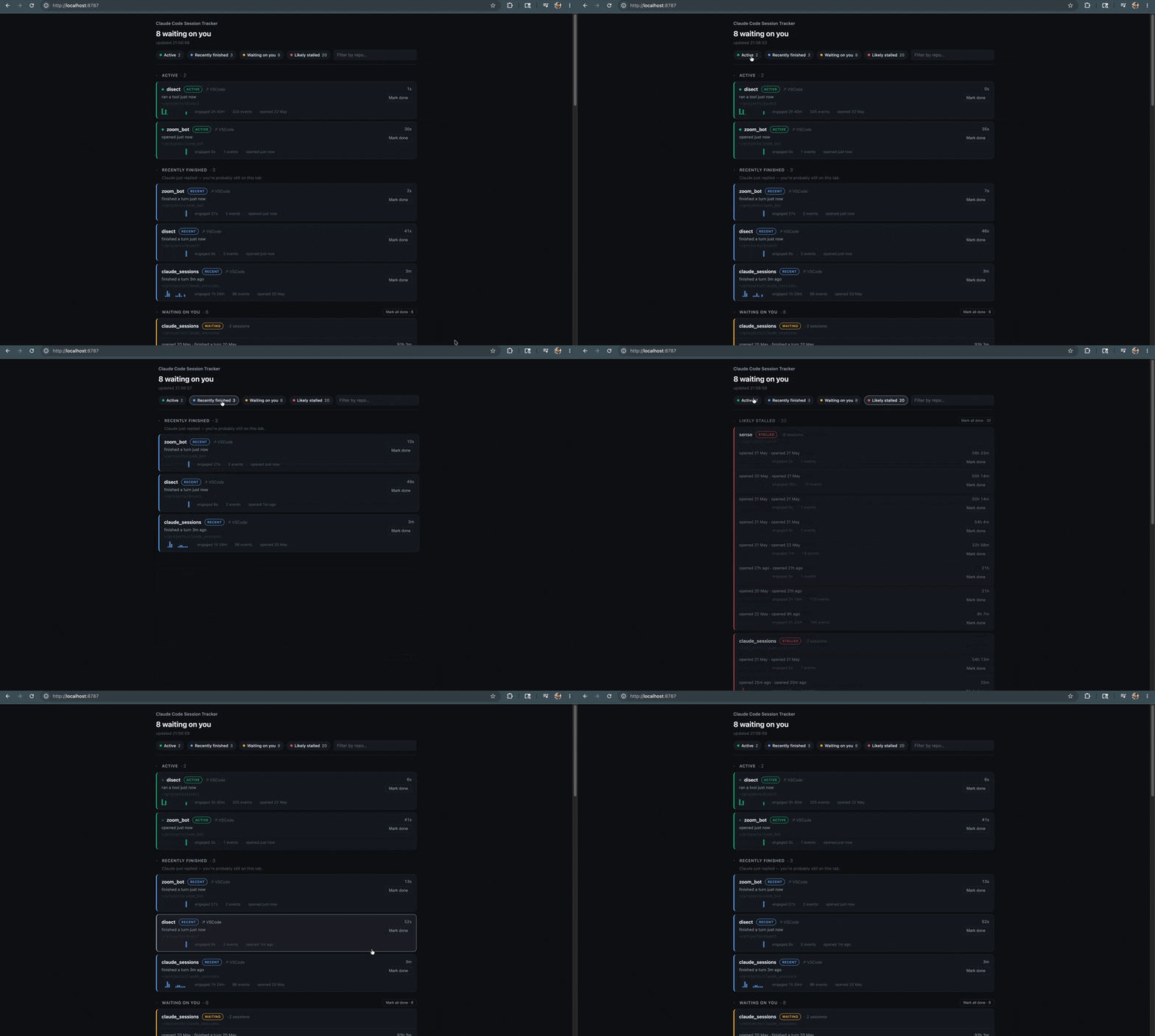
I kept losing those tabs. So I built claude-session-tracker, a small, local dashboard that surfaces the sessions waiting on you or gone silent.
Why not just use Agent View?
Claude Code ships with Agent View (claude agents), and it’s good, but it tracks background sessions, the ones you launch with --bg. It doesn’t see the normal interactive tabs you open in VS Code and forget about. Those are exactly the ones I lose.
So this fills the gap: it watches the regular sessions, not the dispatched ones.
The mechanism: the file is the truth
The whole thing rests on one decision: a local file is the source of truth, and the server only reads it.
Three Claude Code hooks each append a single JSON line to ~/.claude-sessions/events.jsonl:
SessionStart: a session beganStop: Claude finished its turn, meaning it’s now waiting on youPostToolUse: a liveness pulse to show the session is actively working
That’s it. The hooks do nothing but append one line, locally, with no network calls. The dashboard server reads that file and derives the state.
The payoff is that the server is completely disposable. If it’s off, the hooks keep writing and it catches up on the next read. Zero data loss, zero added latency to your turns. A network call inside a hook would have meant silent data loss whenever the server was down, which wasn’t a trade-off I was willing to make.
It’s also privacy-minimized at the source: the hooks write only a session id, the working directory, an event type, and a timestamp. Never your prompts, your code, or Claude’s replies. It’s safe to point at a private repo.
Honest about what it can’t know
The status isn’t binary, and that’s deliberate. A session “waiting on you” is reliable, because Stop fires at the true end of a turn. But a session that’s gone quiet? It might be stalled, or it might just be busy inside one slow tool. You genuinely can’t tell those apart from the outside.
So instead of guessing, the dashboard grades its confidence: possibly stuck after a short quiet period, likely stalled after a longer one. It tells you what it actually knows, and admits what it doesn’t.
The nice touches
Once the data was there, a few things made it feel good to use. You can click a row to focus that specific VS Code window (only if it’s already open, so it never spawns a new one), see a 30-minute activity sparkline per session, and check a rough “engaged time” to see where your attention actually went.
It’s open source, MIT, and runs on the Python standard library, meaning there’s absolutely nothing to pip install.
git clone https://github.com/rohitsaini1196/claude-session-tracker
cd claude-session-tracker
./install.sh   # wires the hooks
./run.sh       # dashboard at localhost:8787
The dashboard is for the tabs you’d otherwise lose. Everything else can wait.